The Uttar Pradesh government has launched the UP Family ID Portal (Ek Parivar Ek Pahchan) to facilitate easy access to various government schemes and benefits for families across the state. Through this portal, citizens can complete their registration, log in to their accounts, download the Family ID Passbook, update family details, and check application status
Login UP Family ID
To use the UP Family ID website, you need to log in. Here's how:
- Go to the official website: familyid.up.gov.in
- Click "Login" on the main page.
- Enter your mobile number and password. You may need to type a code (captcha) shown on the screen.
- Click Login to access your account.
Tips for Safe Login:
- Use only the official website.
- Be careful when using public computers or Wi-Fi.
- Always log out when finished.
- Never share your password with anyone.
Registration UP Family ID
If you don't have a UP Family ID, follow these steps to create one:
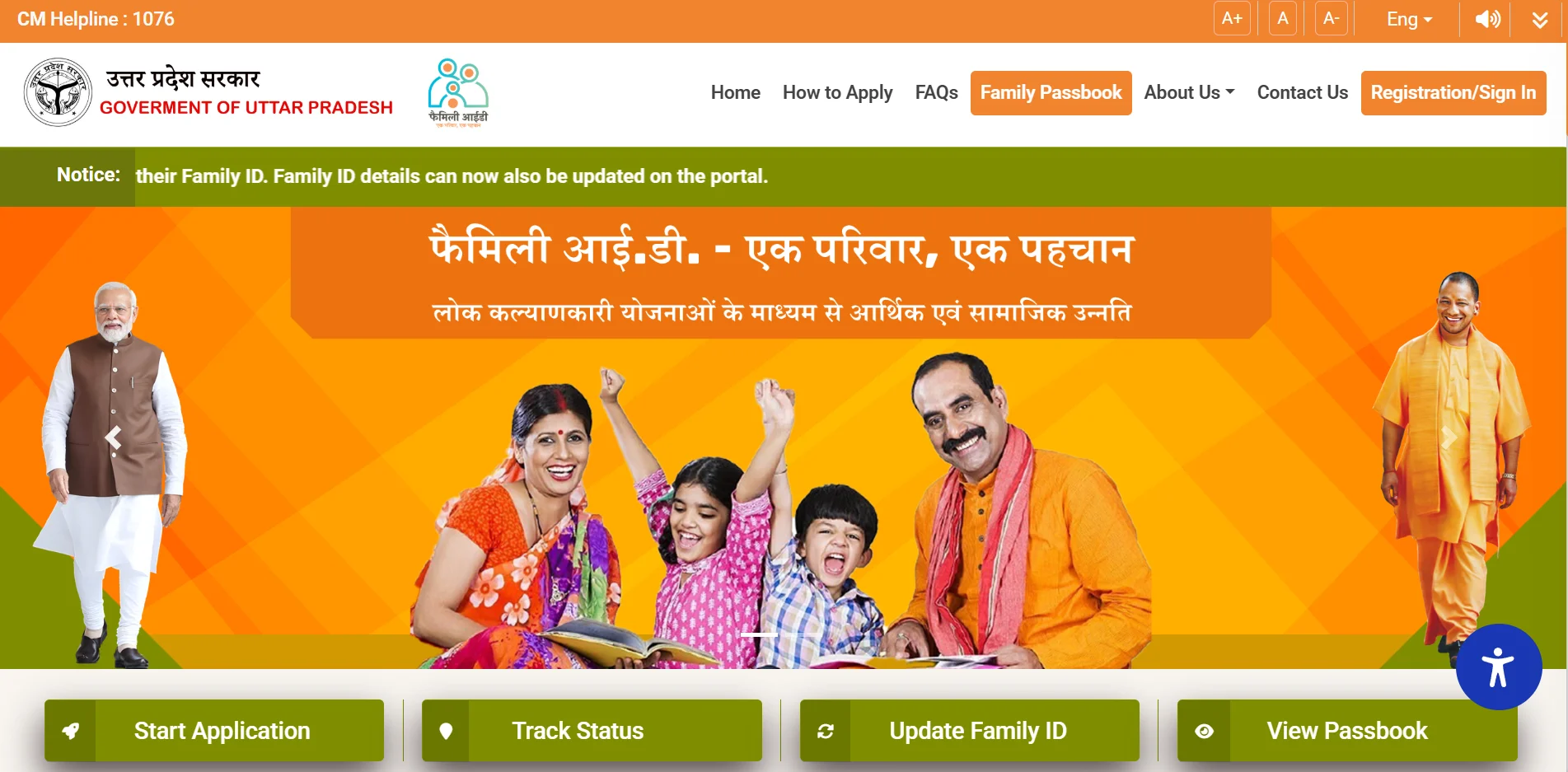
Step 1: Visit the Website
Go to familyid.up.gov.in.
Step 2: Choose Sign Up
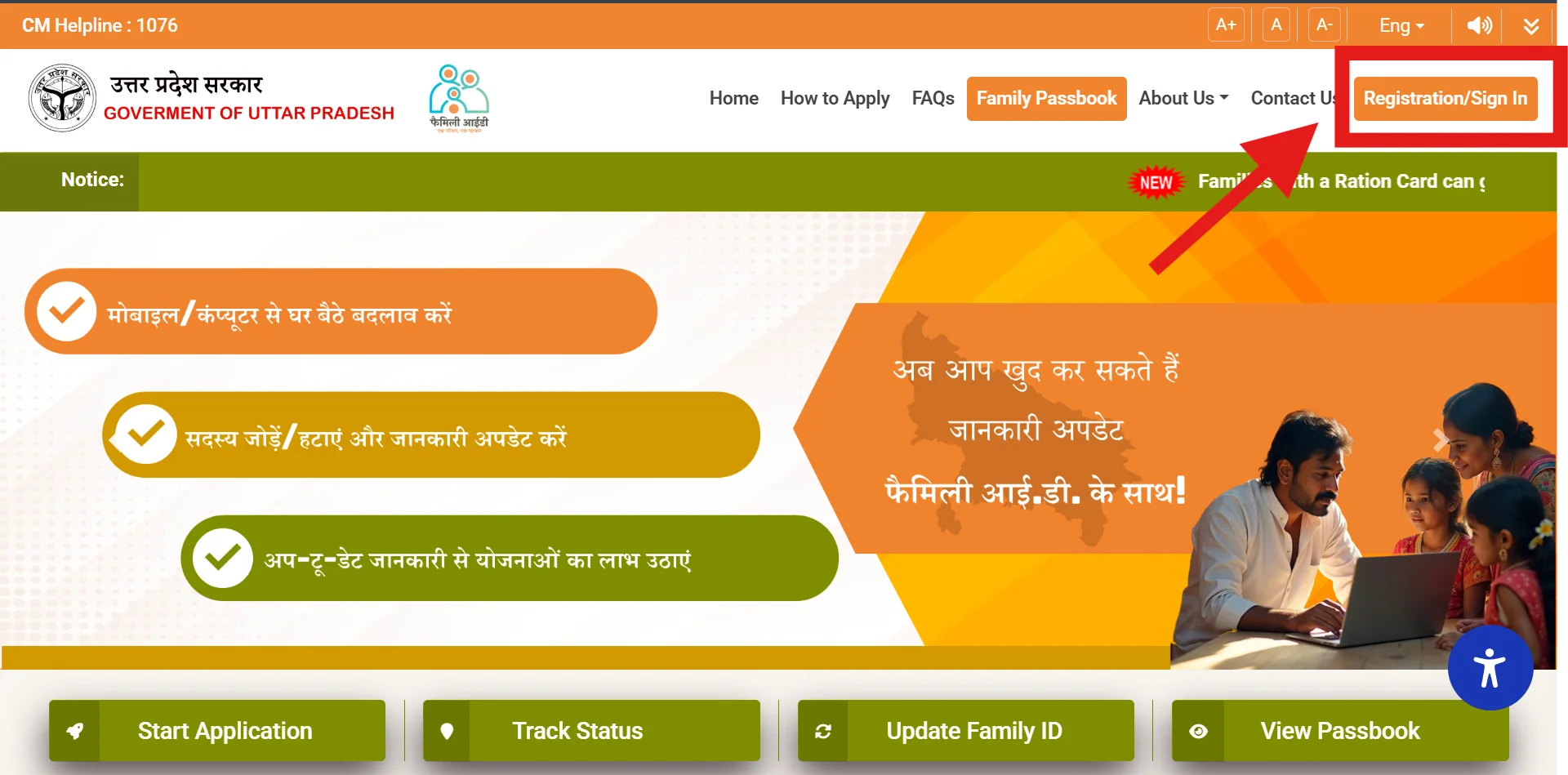
Click "New Registration" on the main page.
Step 3: Enter Mobile Number
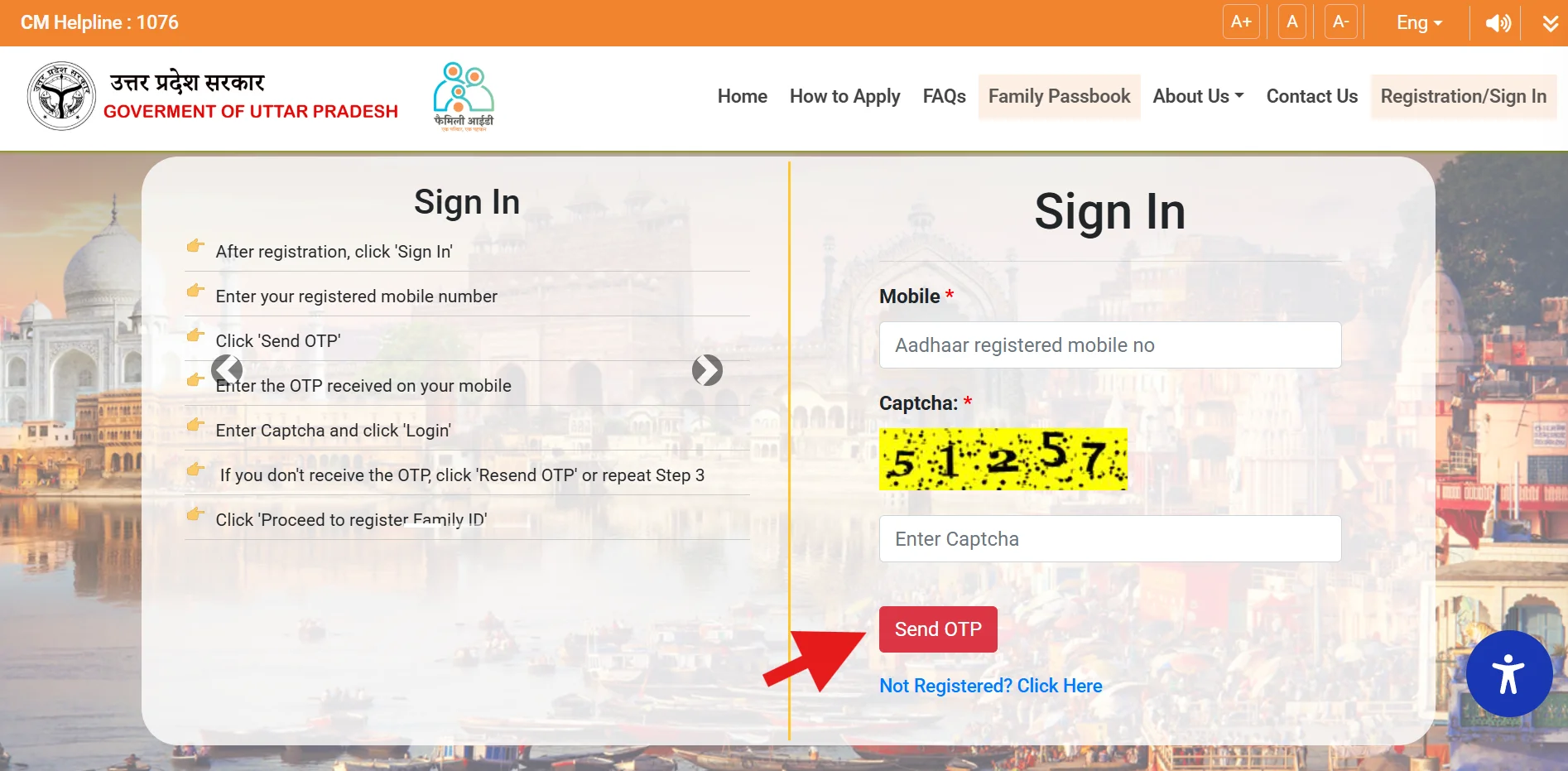
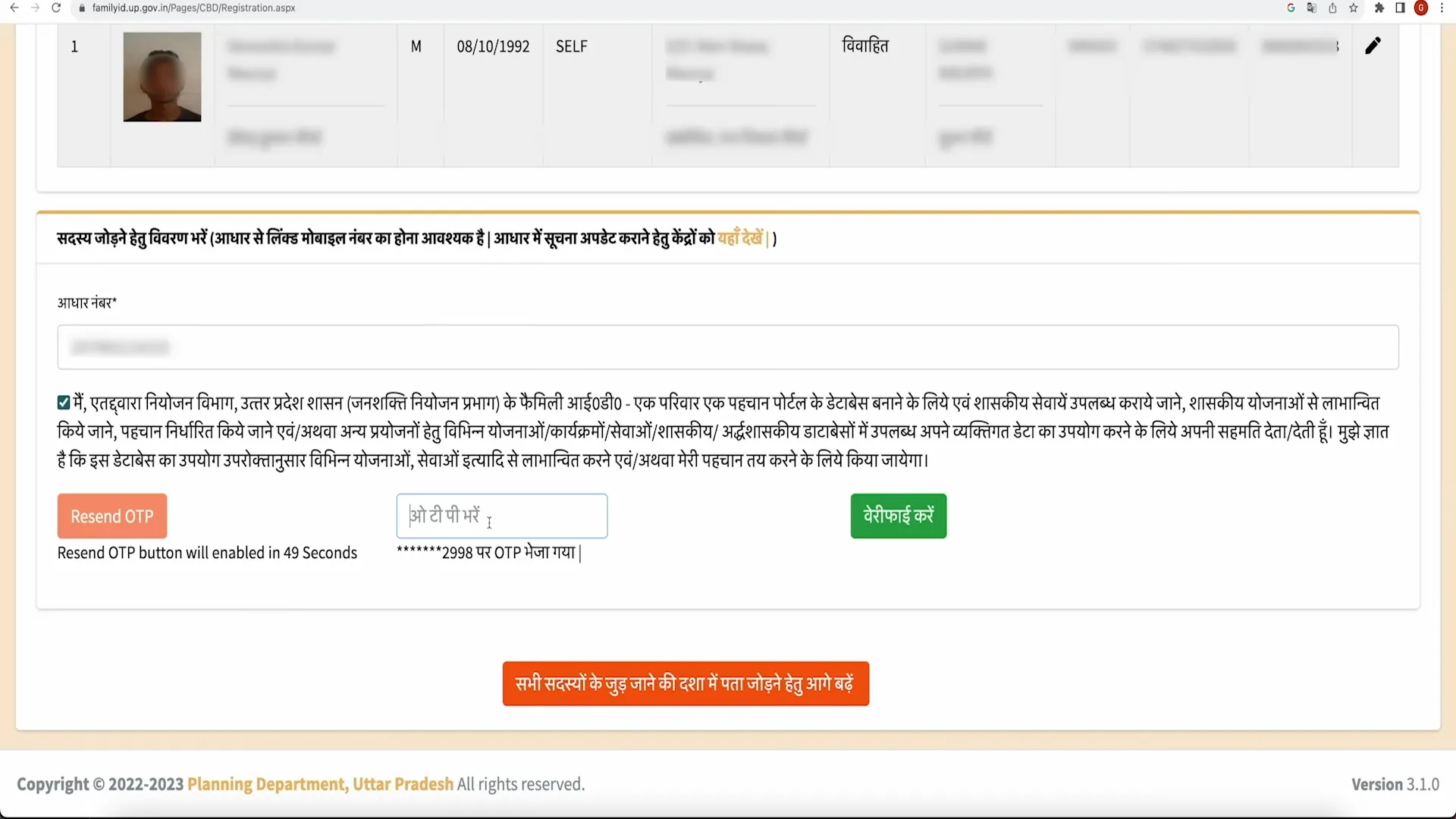
Type the mobile number linked to your Aadhaar card. You'll get a code (OTP) on your phone.
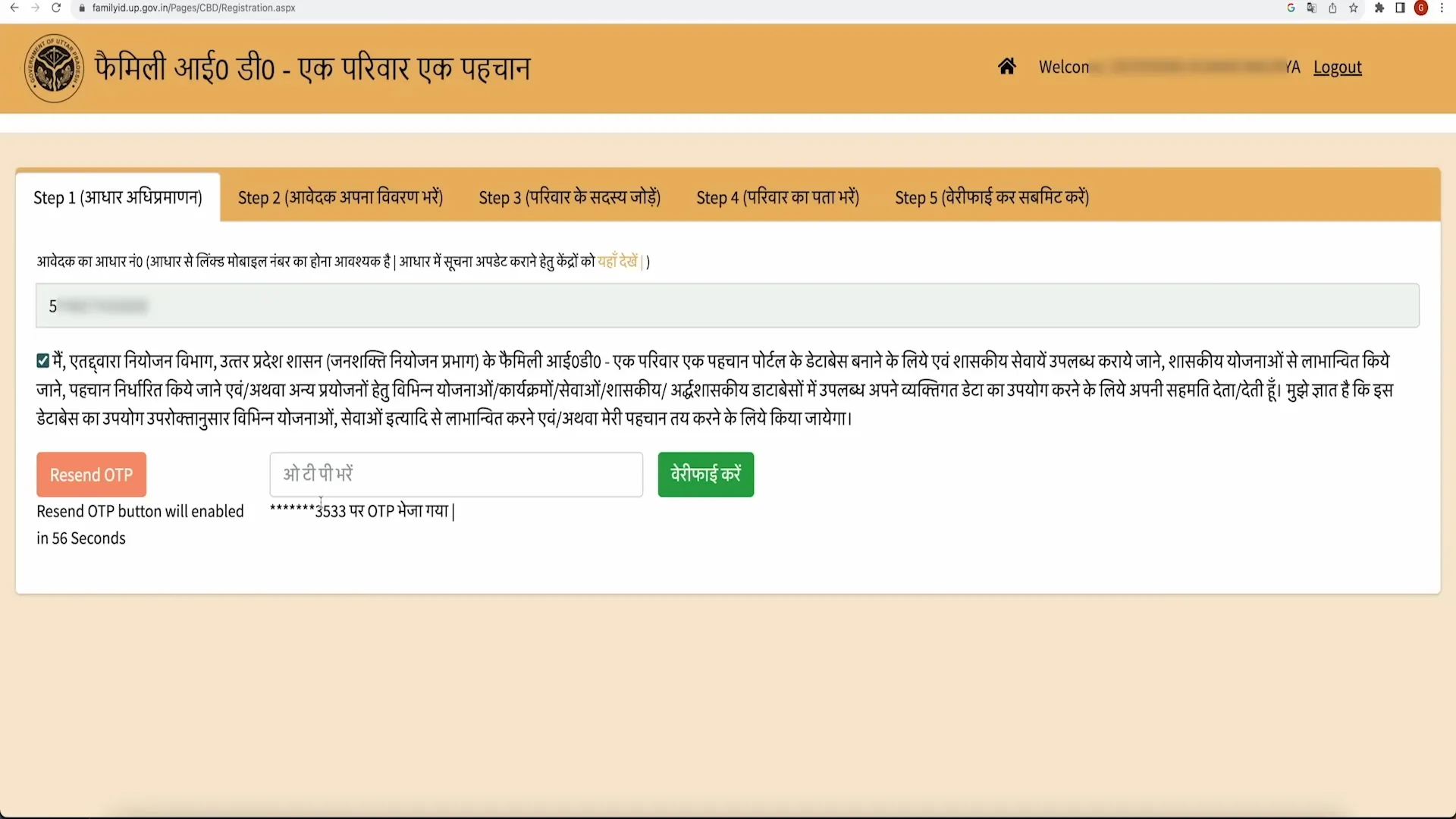
Step 4: Verify with OTP
Enter the OTP to confirm your number.
Step 5: Add Family Head's Aadhaar
Enter the Aadhaar number of the family head. The system will verify it.
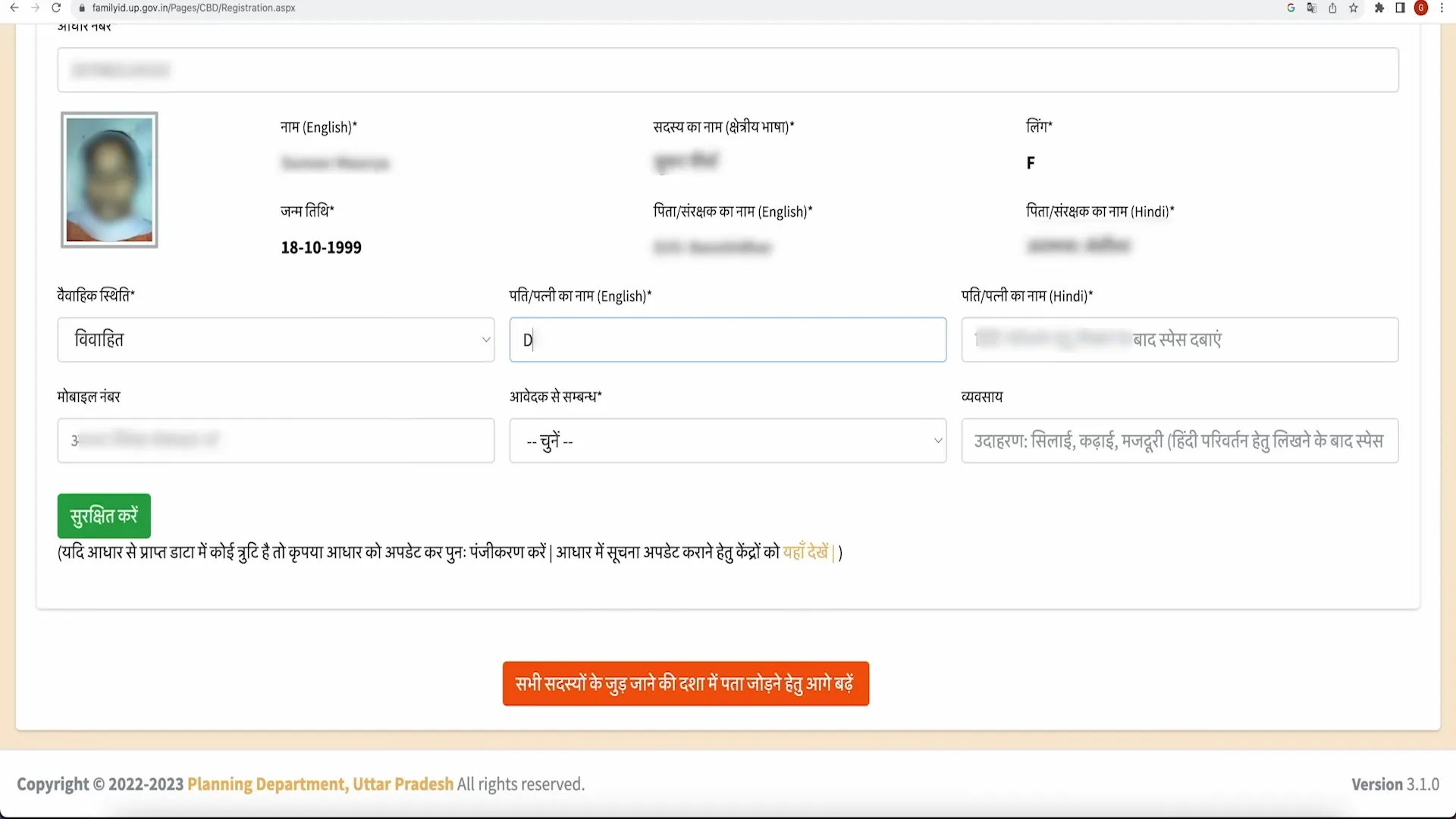
Step 6: Add Family Details
Provide details for all family members, such as:
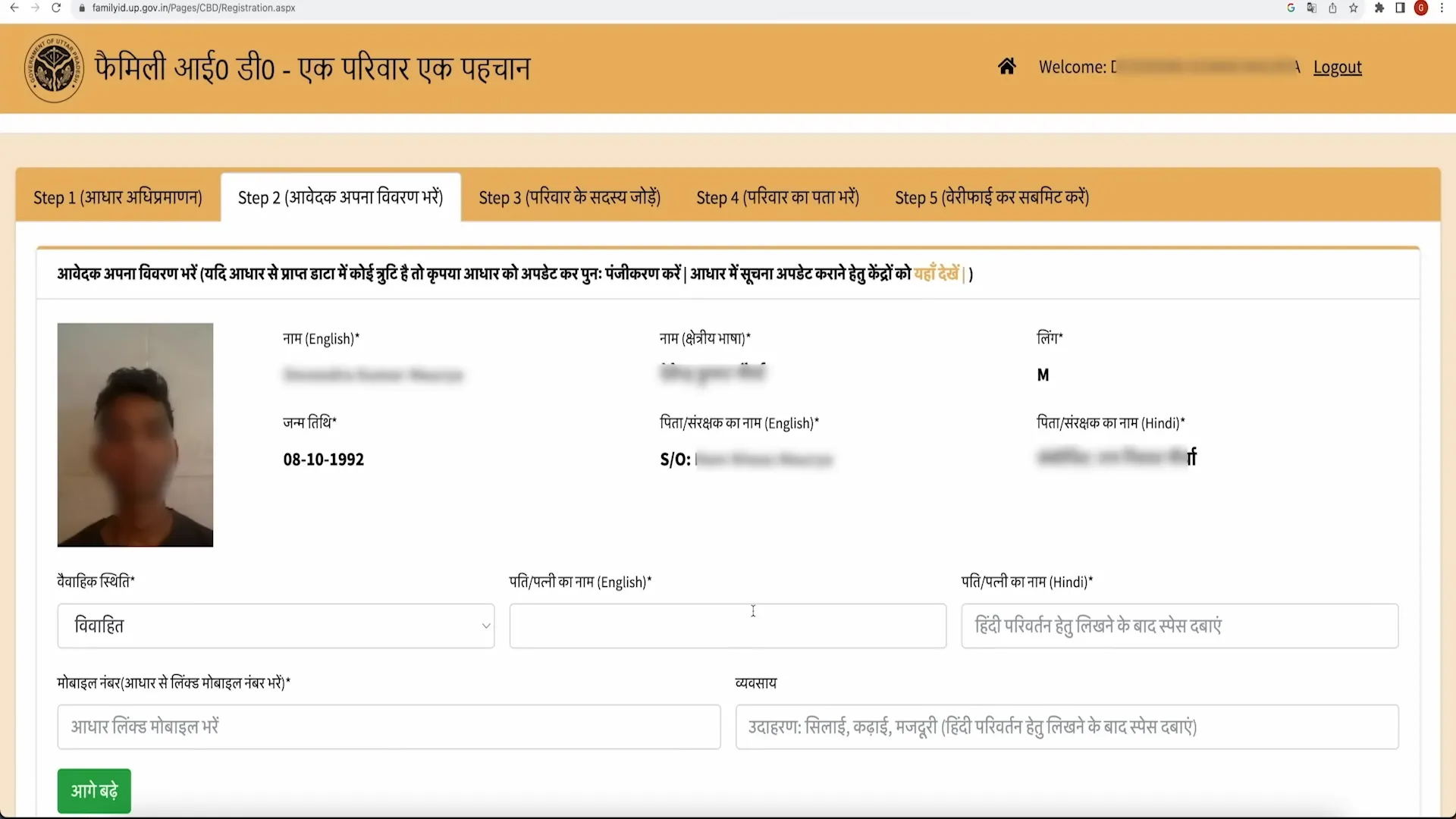
- Name
- Date of birth
- Gender
- Relationship to the family head
- Aadhaar number
- Mobile number (if available)
- Education
- Job
- Other required information
Step 7: Upload Documents
Upload these documents:
- Aadhaar cards for all family members
- Proof of address (like an electricity or water bill)
- Photos of family members
- Other documents (like income or caste certificate, if needed)
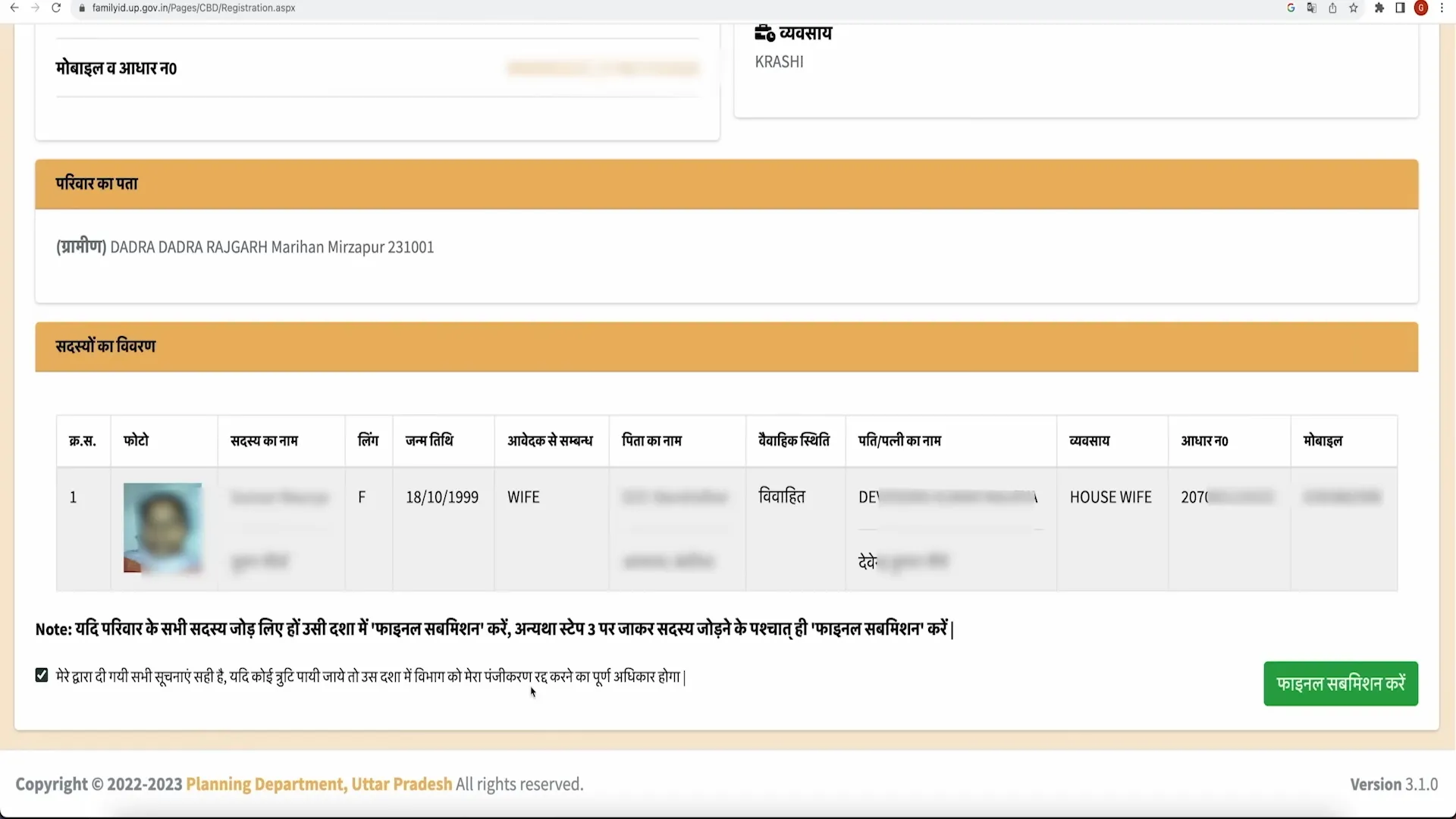
Step 8: Check and Submit
Review all details carefully, then click Submit.
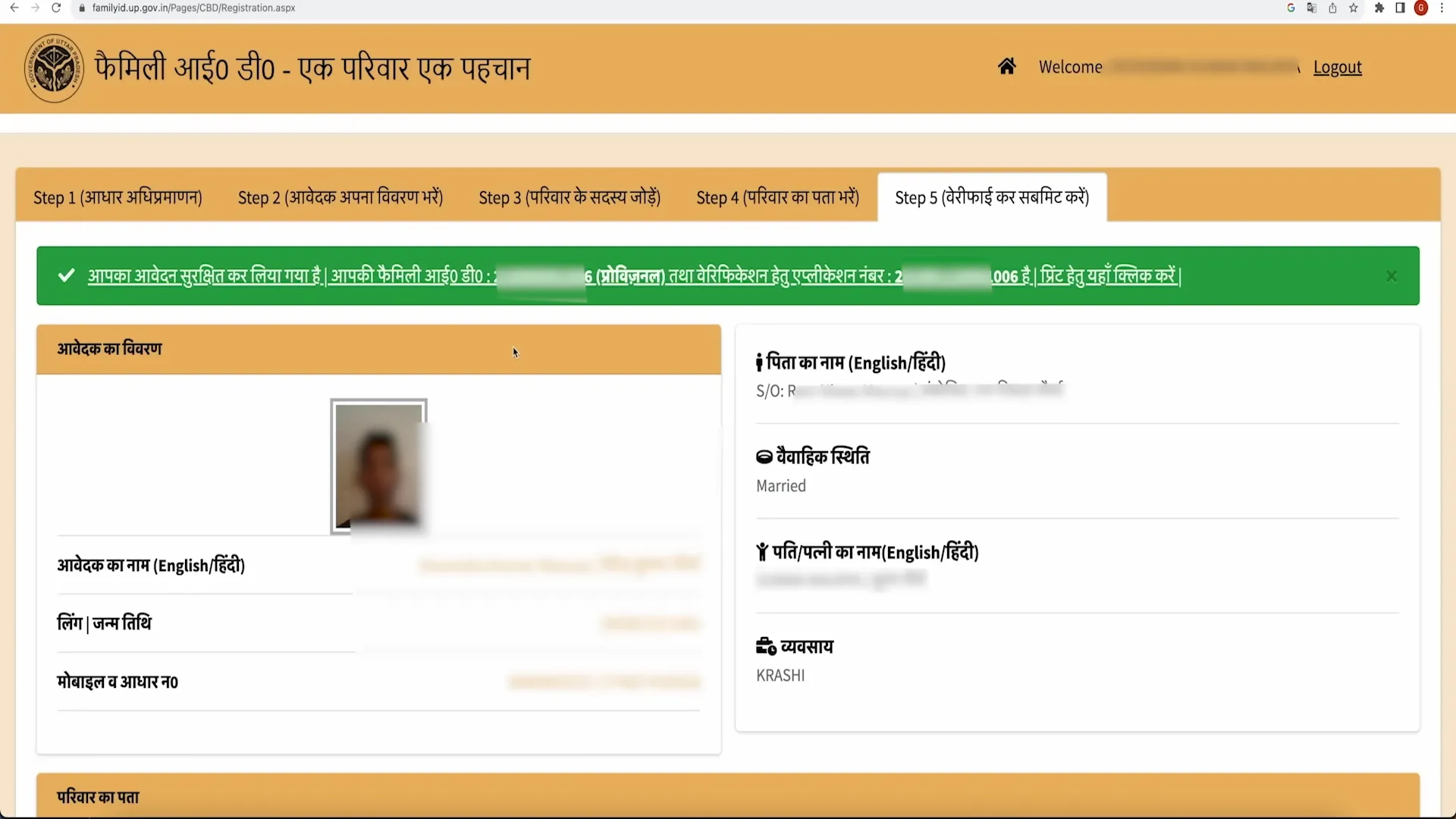
Step 9: Save Application Number
After submitting, you'll get an application number. Keep it safe to track your application later.
Required Documents
- Aadhaar cards for all family members
- Mobile number of the family head
- Proof of living in UP (like a bill)
- Income proof (if required)
- Caste certificate (if needed)
- Bank details (for money transfers)
- Passport-size photos
Update Family Details
If something changes (like a new family member or address), you can update your UP Family ID. Here's how:
- Log In
Use your mobile number and password on the website. - Go to Update Section
Click "Update Family Details" on the dashboard. - Choose What to Update
You can:- Add a new family member (like a newborn or spouse)
- Remove a member (due to death or other reasons)
- Change details (like name, education, or job)
- Update address
- Change mobile number
- Update bank details
- Add Details and Documents
Fill in the new information and upload required documents (like a birth certificate or new address proof). - Submit and Verify
Check everything, then click Submit. You'll need to enter an OTP to confirm. - Track Your Update
You'll get a reference number to check the status of your update. For help with adding members, visit our member addition page.
Check Status UP Family ID
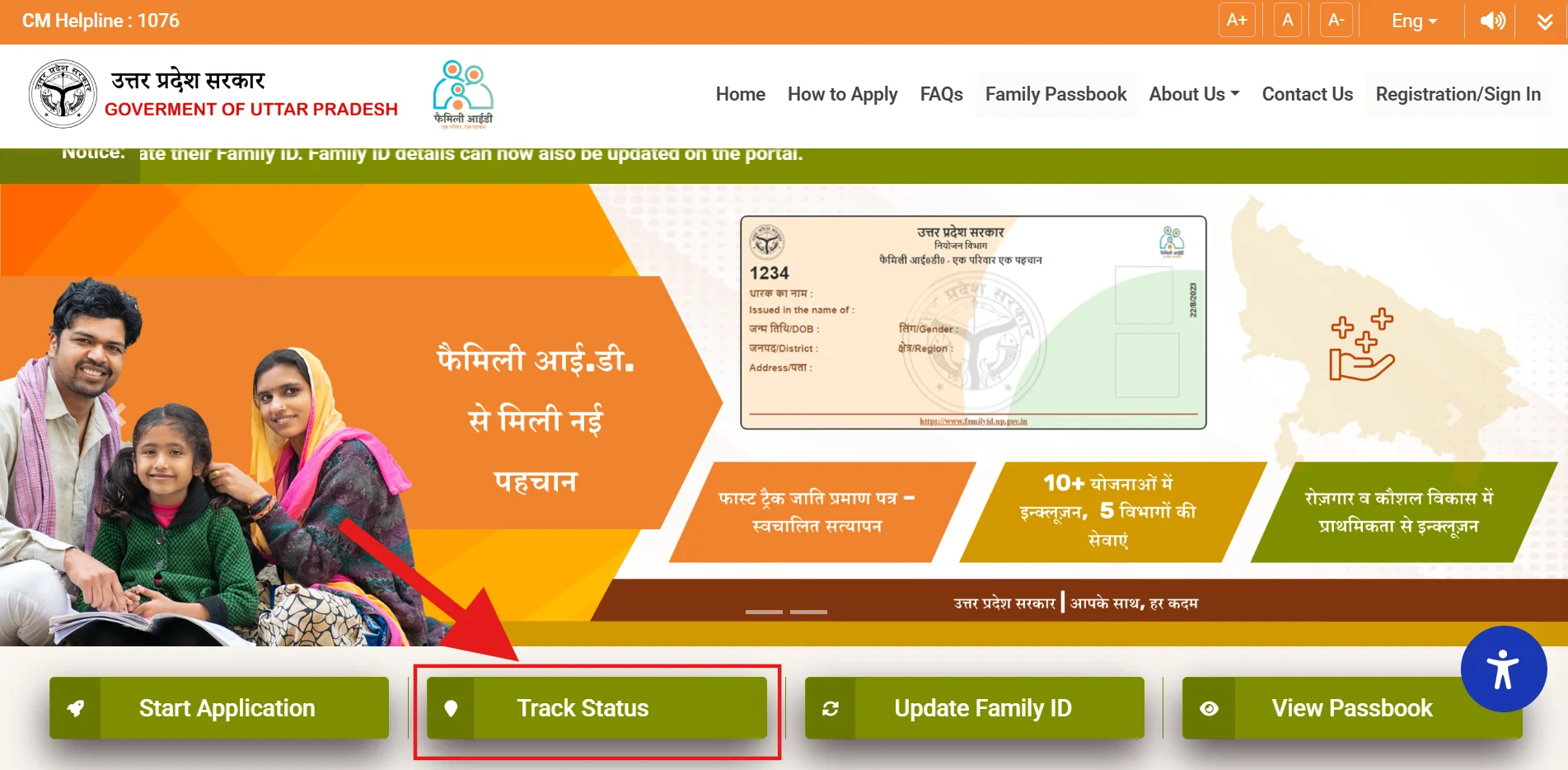
To see if your UP Family ID or update is ready, follow these steps:
- Visit the Website
Go to familyid.up.gov.in. - Find Status Option
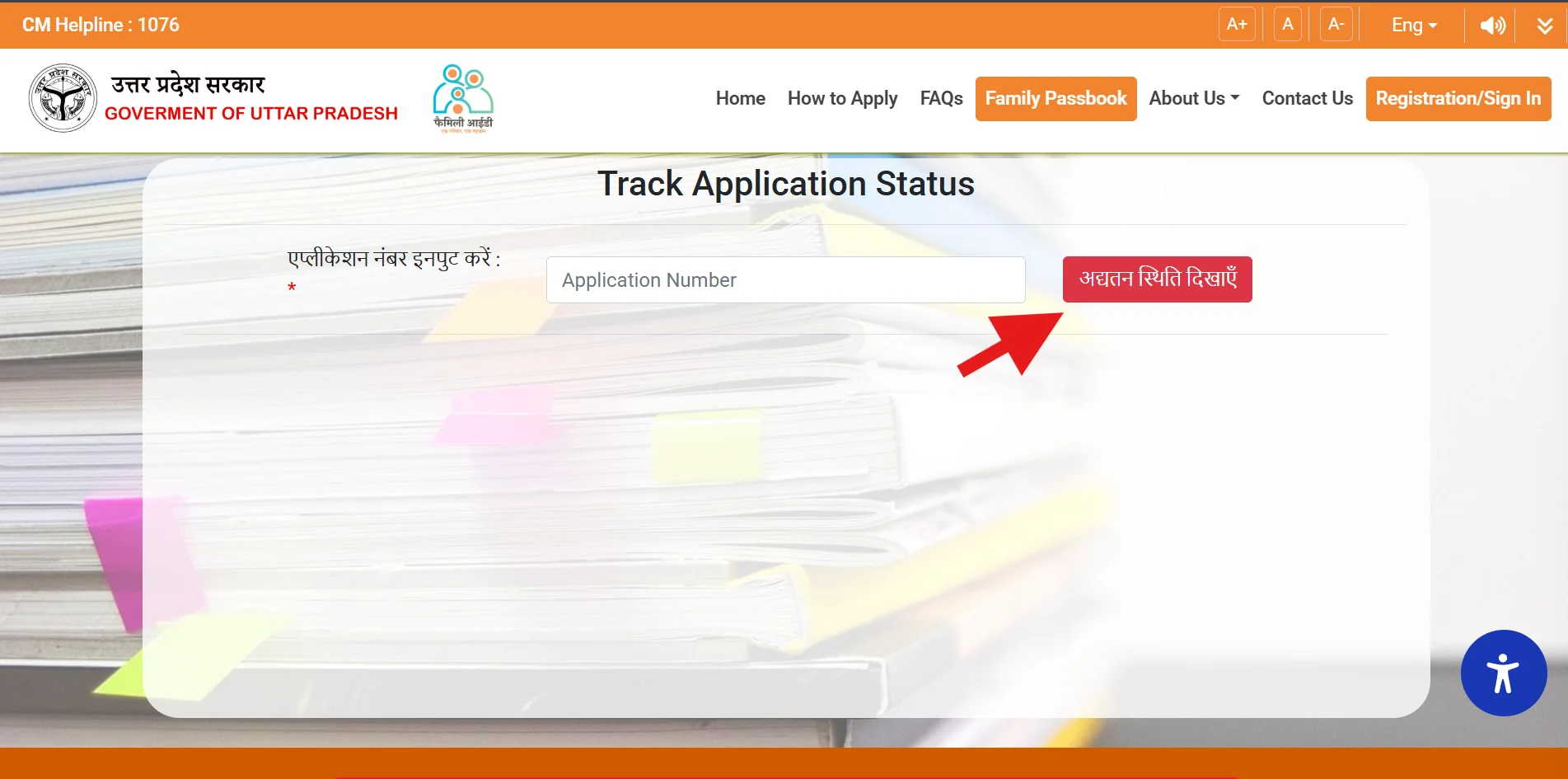
Click "Track Application" on the main page. - Enter Details
Type your application number or mobile number and other details, like your date of birth. - See the Status
The website will show if your application is:- Processing: Still being reviewed
- Approved: You can download your ID
- Rejected: Check the reason and fix it
- Pending Verification: Wait a little longer
- Take Action
- If Approved, download or print your Family ID.
- If Rejected, correct the issue and reapply.
- If Pending, wait for the process to finish.
Download or Print Family ID
- Log in to the website.
- Enter your Aadhaar number and verify with an OTP.
- Your Family ID details will appear, showing family members and other information.
- Click the Print option to download or print your Family ID.
Check Family Passbook
- Go to the website's main page.
- Click the Family Passbook option.
- Enter your Aadhaar number and verify with an OTP.
- Log in to see your passbook, which shows government schemes you can apply for.
Family ID Importance and Benefits
- Stores all family information in one place.
- Makes applying for government schemes easier.
- Saves time by avoiding repeated form-filling.
- Transfers benefits directly to your bank account.
- Shows clear details about benefits you get.
- Works online for easy access.
Safety Tips
- Use only the official website.
- Don't share your password or OTP with anyone, even if they say they're from the government.
- Log out from public computers.
- Update your details whenever something changes.
- Contact the official helpline if you notice anything suspicious.
Important Links
| Purpose | Link |
| Official Website | familyid.up.gov.in |
| UP CSC Portal | digitalseva.csc.gov.in |
| UP Jan Seva Portal | jansunwai.up.nic.in |
| UP e-District | edistrict.up.gov.in |
| For Help | Visit your nearest Jan Seva Kendra |
Common Questions
Who can get a UP Family ID?
Families living in Uttar Pradesh. The family head should apply.
How long does it take to get the ID?
About 7-10 days after applying.
Can I change my Family ID details?
Yes, you can add members, update details, or change your address or number.
What if I forget my password?
Use the "Forgot Password" option to get an OTP and set a new password.
Can I change my mobile number?
Yes, log in, go to the update section, and change it with OTP verification.
What schemes work with UP Family ID?
It helps with ration cards, health schemes (like Ayushman Bharat), scholarships, pensions, housing, and other UP government benefits.